QuillReply lives inside Gmail. Set a reminder that fires only if nobody replies, turn any email into a task, and draft answers in your own voice. It reads the email on your screen and nothing else.
QuillReply adds its controls inside Gmail itself: beside Archive and Delete, next to Reply, and in the compose window next to Send. No new tab, no dashboard, no copy and paste.
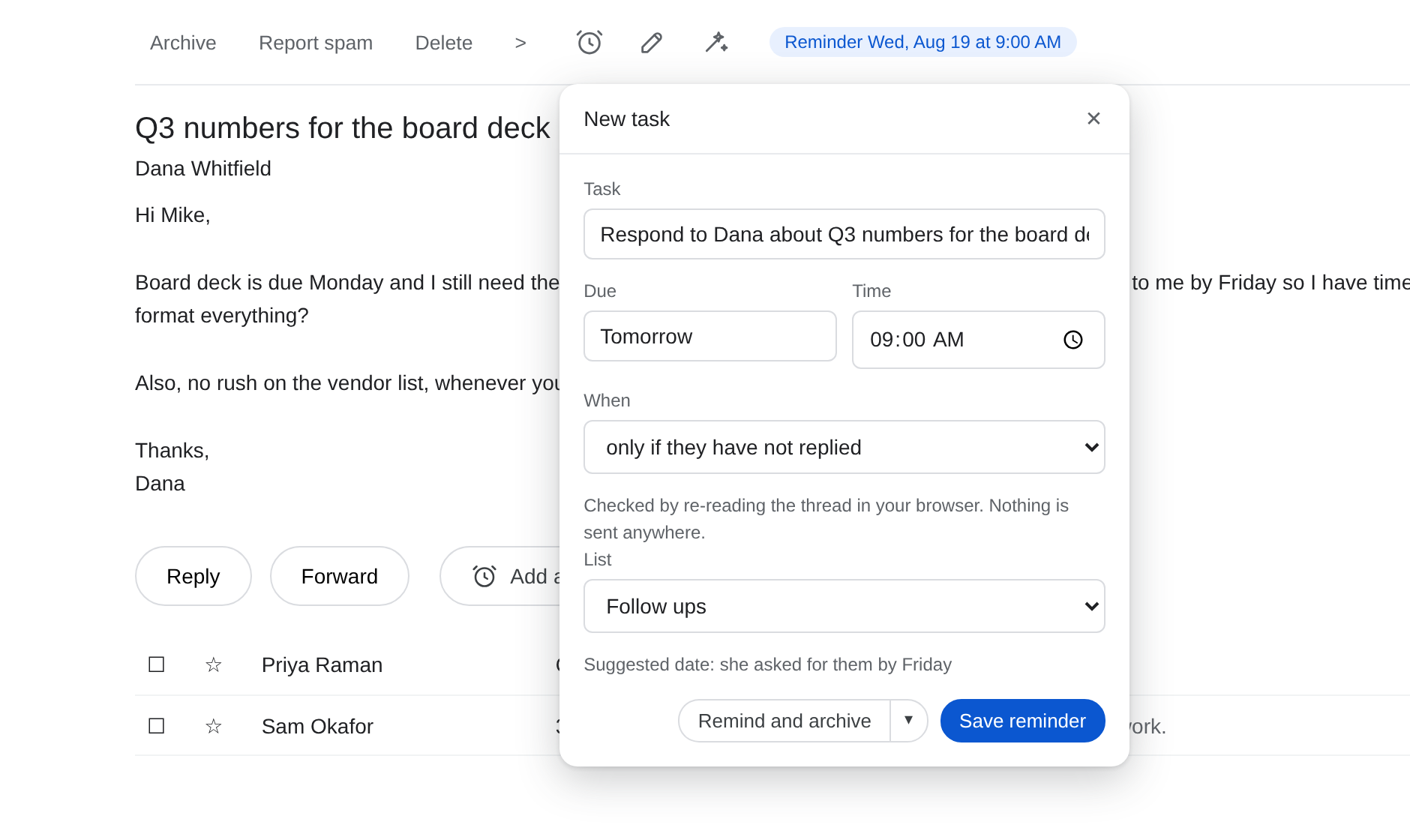
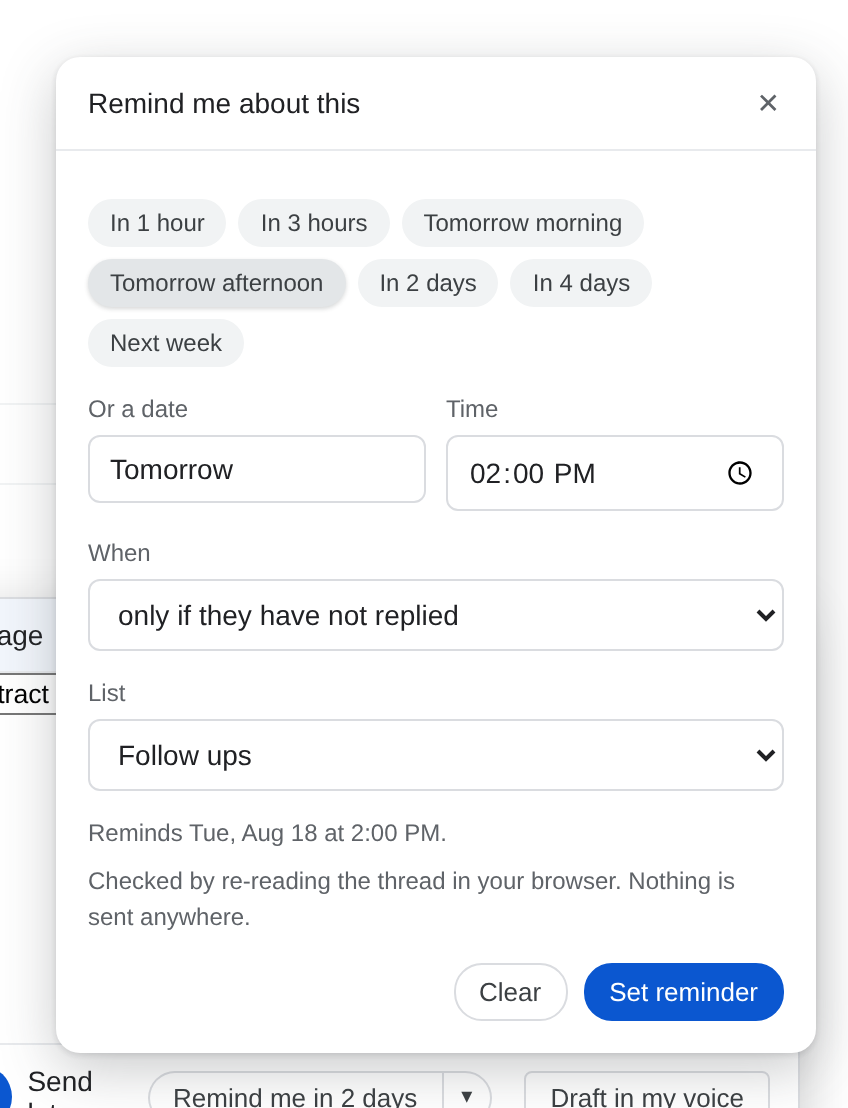
Waiting on an answer? Arm a reminder when you hit Send, or afterwards from the open thread. On the day you chose, QuillReply re-reads the conversation in your browser. If a real reply arrived, the reminder quietly stands down. If not, the follow-up lands in your task list.
It knows the difference between a reply and noise: your own chase-up does not count, and neither does their out-of-office.
Checked entirely in your browser. Nothing about the thread is sent anywhere.
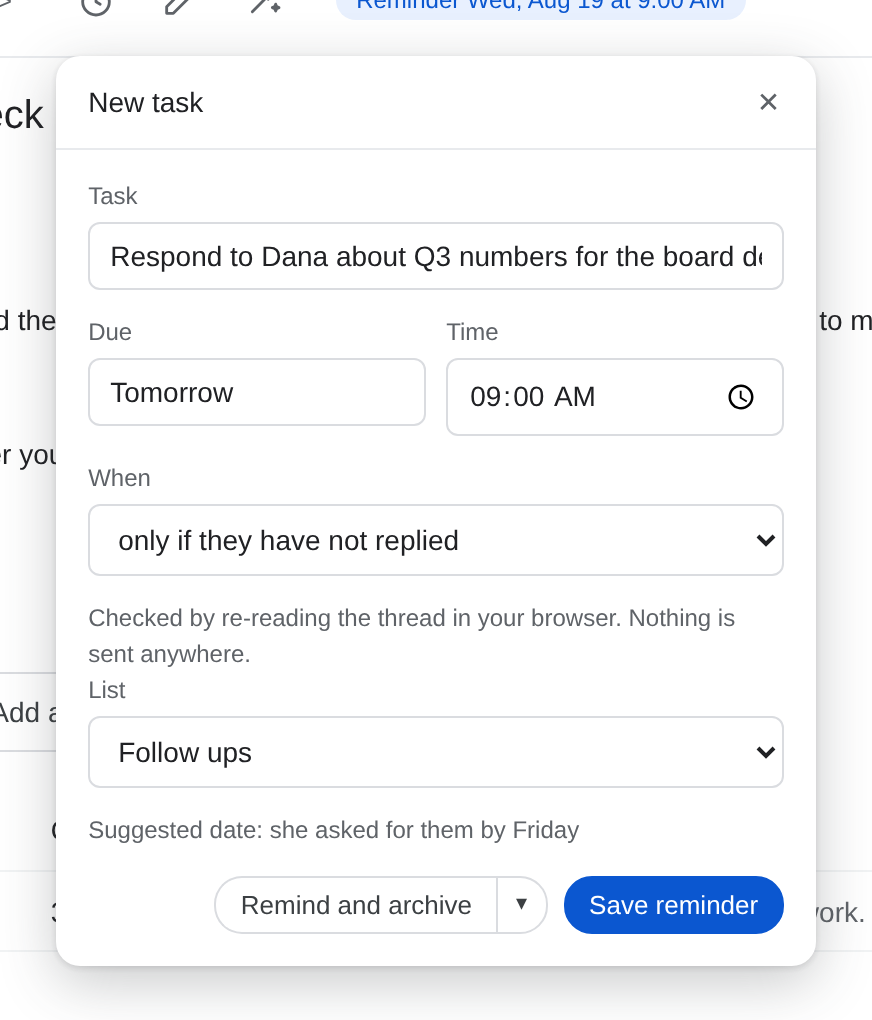
The task title and due date are suggested from the email itself. "RE: Q3" becomes "Respond to Dana about Q3 numbers", and "can you get them to me by Friday" becomes a Friday deadline, with the reason shown so you can judge it.
Tasks file to Apple Reminders, Google Tasks, Obsidian, or Things 3. Every one works the moment you pick it: no developer accounts, no API keys, no pasting client ids.
Save and archive in the same click, and the email is out of your inbox with a scheduled way back.
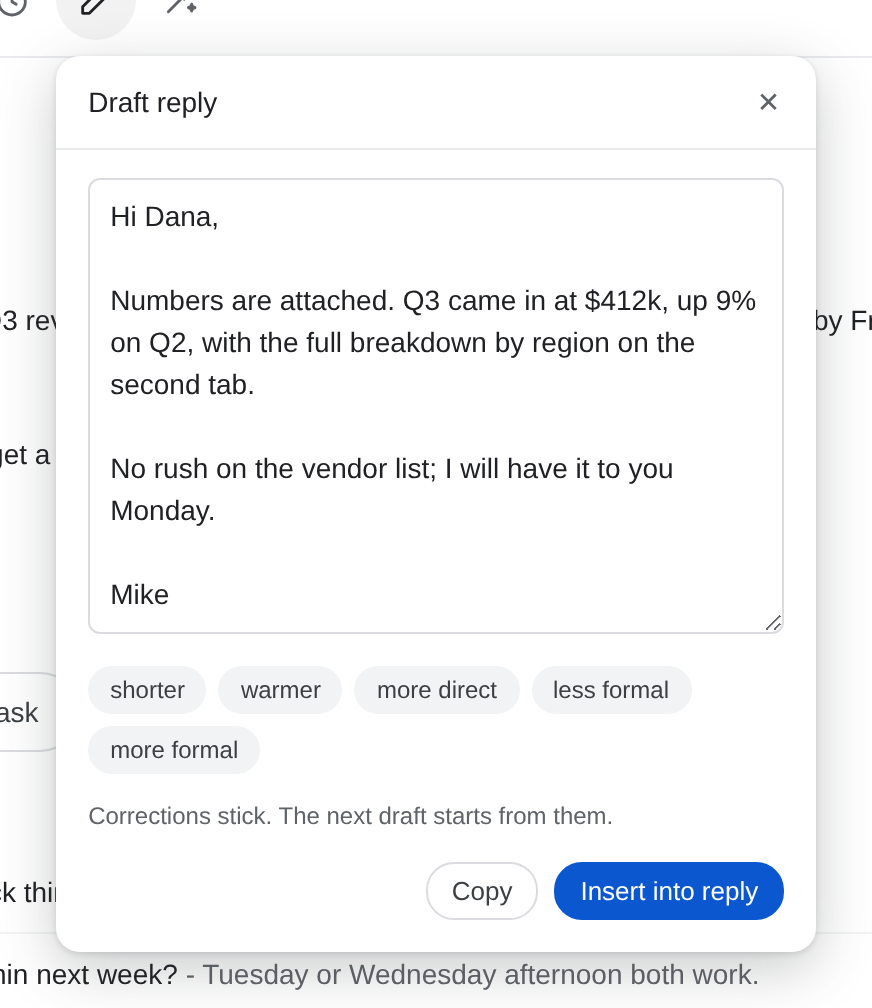
Point QuillReply at a few emails you wrote and it learns how you sound: your greeting, your sign-off, how formal you run, how long your replies tend to be. From then on, one click drafts an answer that reads like you on a good day.
Nudge it shorter, warmer, or more direct, and your corrections stick; the next draft starts from them. Nothing sends until you press Send.
Your voice profile is a description of style patterns, never stored message text.
Open any conversation and the answer is right in the toolbar. An armed follow-up shows itself, so you never have to wonder or go digging through settings.
QuillReply's buttons appear inside Gmail the next time you open it. There is nothing to configure before the first reminder.
Optional, and worth two minutes: open a few emails you wrote and tap Teach. Three is usually enough for drafts that sound like you.
Arm a follow-up when it matters. If they reply, you hear nothing. If they go quiet, the reminder shows up exactly when you asked it to.
Most email tools ask for the keys to your whole mailbox. QuillReply asks for none of it, because it does not need it: it reads the one email already open on your screen, at the moment you click, the way you do.
No Gmail OAuth scope is requested, so background reading is not just something we promise not to do. It is something the product cannot do.
The "did they reply" check re-reads the thread in your own browser. The thread never touches our servers.
No message bodies, no subject lines, no drafts, no email addresses. Content is processed to produce the draft or suggestion you asked for, then discarded. It is never used to train any AI model.
Connect Google Tasks or Things and the token lives in your browser's own storage. We never see it, and we never ask for an Apple ID.
Every tool in this category made a different trade. These pages say plainly where each competitor is stronger, and what you give up for it.
QuillReply is in active beta ahead of its Chrome Web Store launch. Everything on this page is built and working; the store review, billing, and final polish are in flight. During the beta, all of it is free.
At launch there will be a straightforward monthly price and a free tier that stays genuinely useful. Beta users will hear about launch pricing before anyone else does.
Check back soon, or watch for QuillReply on the Chrome Web Store